
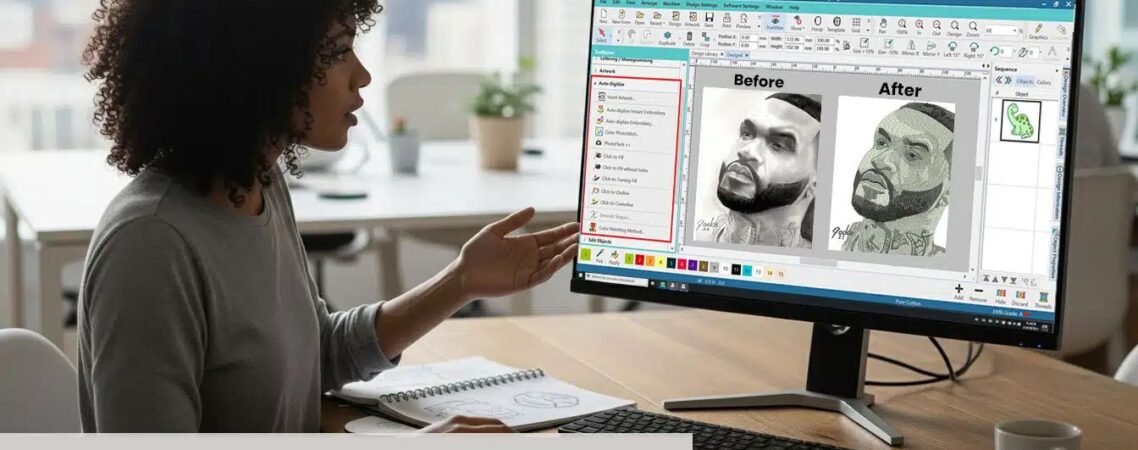
Picture-to-Embroidery Software
Introduction
Have you ever looked at a favorite photo and thought, “This would look amazing embroidered on a shirt, jacket, or patch?” Thanks to modern technology, turning images into embroidery designs is easier than ever.
That’s where picture-to-embroidery software comes in. These specialized programs help transform digital images into embroidery machine files that can be stitched onto fabric. Whether you’re creating custom gifts, business logos, pet portraits, or promotional apparel, the right software can save time and improve results.
In this guide, we’ll explore how picture-to-embroidery software works, its benefits, key features, and tips for achieving professional embroidery designs.
What Is Picture-to-Embroidery Software?
Picture-to-embroidery software is a tool that converts digital images into embroidery designs by translating artwork into stitch patterns.
Instead of viewing a picture as pixels, embroidery software analyzes shapes, colors, and outlines and converts them into embroidery stitches that a machine can understand.
The software can help create:
- Custom logos
- Photo embroidery designs
- Monograms
- Pet portraits
- Personalized gifts
- Embroidered patches
- Corporate apparel designs
The final output is typically saved in machine-readable embroidery formats.
How Picture-to-Embroidery Software Works
The process may seem complicated, but it’s actually quite straightforward.
Step 1: Import the Image
Upload a picture such as:
- JPG
- PNG
- BMP
- TIFF
Higher-quality images usually produce better embroidery results.
Step 2: Analyze the Artwork
The software identifies:
- Shapes
- Colors
- Edges
- Design elements
This information helps determine stitch placement.
Step 3: Generate Stitch Paths
The software converts image areas into:
- Satin stitches
- Fill stitches
- Running stitches
Each stitch type serves a specific purpose within the design.
Step 4: Export the Design
The completed embroidery file can then be saved in formats such as:
- DST
- PES
- EXP
- HUS
- JEF
- VP3
These formats are compatible with various embroidery machines.
Benefits of Using Picture-to-Embroidery Software
Many embroidery enthusiasts choose picture-to-embroidery software because it simplifies design creation.
Faster Design Preparation
Instead of creating every stitch manually, software automates much of the process.
Better Workflow Efficiency
Businesses handling multiple embroidery projects can save significant production time.
Easier Design Customization
Users can modify:
- Colors
- Stitch types
- Design sizes
- Lettering
- Layouts
Greater Creative Freedom
Almost any image can become an embroidery design with proper editing and digitizing.
Important Features to Look For
Not all embroidery software offers the same capabilities.
When evaluating picture-to-embroidery software, look for these features.
Automatic Digitizing
Automatically converts images into stitch files.
Manual Editing Tools
Allows adjustments to improve stitch quality.
Multiple File Format Support
Supports common embroidery machine formats.
Stitch Simulation
Provides a preview of how the design will stitch before production.
Resizing Functions
Helps adjust designs without significantly affecting stitch quality.
Can Any Photo Be Converted Into Embroidery?
Technically, yes—but some images work better than others.
Best Images for Embroidery
- High-resolution photos
- Simple logos
- Clear outlines
- Limited color palettes
- Strong contrast images
Challenging Images
- Blurry photos
- Extremely detailed artwork
- Busy backgrounds
- Tiny text
- Low-resolution graphics
Think of embroidery as translating a painting into stitches. Simplified artwork often produces cleaner results.
Common Challenges When Converting Pictures
Even the best picture-to-embroidery software has limitations.
Excessive Detail
Embroidery machines cannot reproduce every tiny detail found in photographs.
Thread Color Limitations
Machines use thread colors rather than digital pixels.
Stitch Density Problems
Overly dense designs can cause puckering or thread breaks.
Small Text Issues
Very small lettering may lose clarity after conversion.
This is why manual editing remains important for professional-quality embroidery.
Tips for Better Picture-to-Embroidery Results
Follow these practical tips to improve your embroidery designs.
Start With a Clean Image
Use sharp, high-quality artwork whenever possible.
Simplify Complex Photos
Reduce unnecessary details before digitizing.
Choose Appropriate Stitch Types
Different elements require different stitch styles.
Test Stitch Before Production
Always run a sample stitch-out before starting a large project.
Work With Experienced Digitizers
Professional digitizers can refine automatic conversions and improve stitch quality.
At Absolute Digitizing, experienced digitizers help transform photos, logos, and artwork into machine-ready embroidery files designed for clean, professional stitching.
Picture-to-Embroidery Software vs Professional Digitizing
Many beginners wonder whether software alone is enough.
The answer depends on the design.
Software Is Great For:
- Basic artwork
- Simple logos
- Learning embroidery digitizing
- Personal projects
Professional Digitizing Is Better For:
- Corporate branding
- Small lettering
- Complex logos
- Photo embroidery
- High-volume production
Professional digitizing often produces cleaner stitch paths and better machine performance.
Best Uses for Picture-to-Embroidery Software
Picture-to-embroidery software is commonly used for:
- Company logos
- School uniforms
- Sports team apparel
- Pet memorial embroidery
- Family gifts
- Jacket back designs
- Hat embroidery
- Personalized merchandise
Its versatility makes it valuable for hobbyists and commercial embroidery businesses alike.
Conclusion
Picture-to-embroidery software has made custom embroidery more accessible than ever. By converting digital artwork into stitch-ready files, these tools help users create unique embroidery designs for personal and professional projects.
However, successful embroidery still depends on proper digitizing, stitch planning, and testing. While software provides a great starting point, professional editing often makes the difference between an average design and an outstanding one.
For businesses and embroidery enthusiasts seeking high-quality results, combining software capabilities with expert digitizing services from Absolute Digitizing can help ensure clean, efficient, and professional embroidery every time.
FAQs
What is picture-to-embroidery software used for?
Picture-to-embroidery software converts digital images into embroidery machine files that can be stitched onto fabric.
Can picture-to-embroidery software automatically digitize photos?
Many programs offer automatic digitizing features, but manual editing is often needed for the best embroidery quality.
Which image format works best for embroidery conversion?
High-resolution JPG and PNG files usually provide the best starting point for embroidery digitizing.
Can I convert a logo into an embroidery file?
Yes. Logos are among the most common designs converted using picture-to-embroidery software.
Why doesn’t my embroidery design look exactly like the photo?
Embroidery uses stitches and thread rather than pixels, so some simplification is necessary during the digitizing process.


